 Search Tips
Amount Verification
Amount Verification is a fraud prevention tool that verifies a customer's identity by placing a temporary hold of a small, random amount to their credit card. The customer must verify the exact amount from their statement before completing the purchase.
-
Confirms customer has access to the actual credit card
-
Reduces fraudulent transactions and chargebacks
-
No charge to customers (authorization is voided)
This guide explains what you need to set up Amount Verification to create a secure verification flow for your customers.
Prerequisites
Before you can start using Amount Verification, contact techsupport@segpay.com to request approval for the following requirements:
| Requirement | Purpose |
|---|---|
| Dynamic Pricing | Allows you to create a dynamic price point with a specified price range. The verification charge amount is dynamically assigned within this range |
| Pre-Auth Only | Ensures customers are not actually billed for the verification (voided next day) |
| SRS User ID & Access Key | Necessary credentials for requesting the Dynamic Pricing ID |
All three approvals are required before you can implement Amount Verification.
Setting Up Amount Verification
Step 1: Create Dynamic Price Point for Amount Verification
Prerequisite: Your account must be approved for Dynamic Pricing
-
Log into the Merchant Portal: https://mp.segpay.com/
-
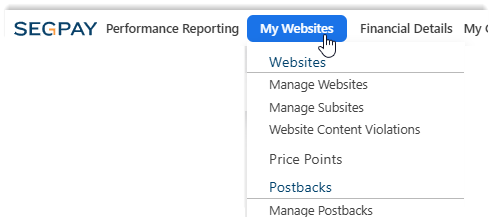
Navigate to My Websites > Price Points
-
Click Add Price Points button.
-
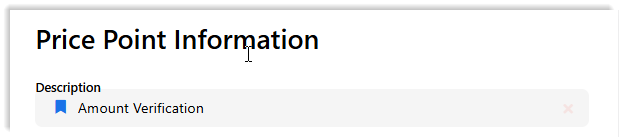
Enter a descriptive name for your Price Point in the Description field (optional).
-
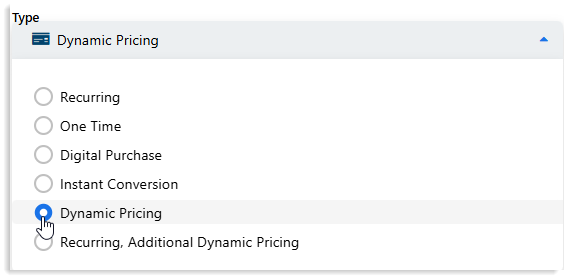
Choose "Dynamic Pricing" as the Price Point Type.
-
Choose one of the User Info Settings to configure how consumer login information is collected on Segpay's payment page:
- Do Not Collect Username: The consumer's login username will not be collected during the payment process.
-
Collect Username: The consumer's login username will be collected during the payment process.
-
Email Address as Username: The consumer's email address will be used as their username.
Contact Segpay Technical Support at techsupport@segpay.com if you choose one of these settings:
-
Collect Username
-
Email Address as Username
Segpay does not store consumer passwords in its systems.
-
-
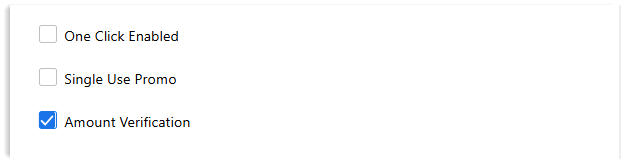
Select "Amount Verification" checkbox.
-
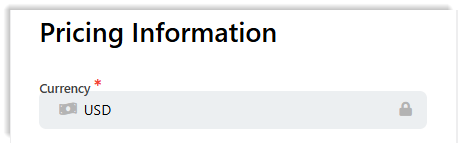
Select Currency (if you have more than one option available).
-
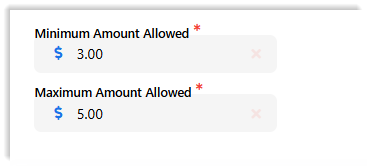
Set price range (required):
-
Minimum Amount Allowed: Lowest verification amount charge
-
Maximum Amount Allowed: Highest verification amount charge
-
-
Click Save.
Step 2: Add Price Point to Package & Get Join Link
-
Log into the Segpay Merchant Portal: https://mp.segpay.com/
-
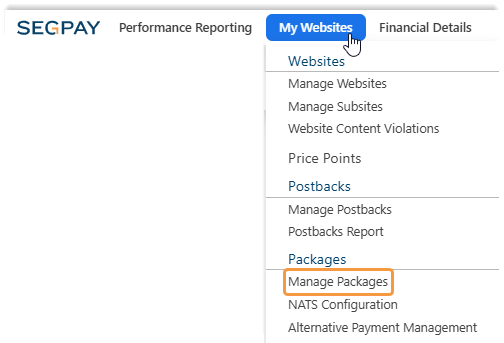
Navigate to My Websites > Manage Packages
-
Select the Package to Edit: Click the package ID or Edit

-
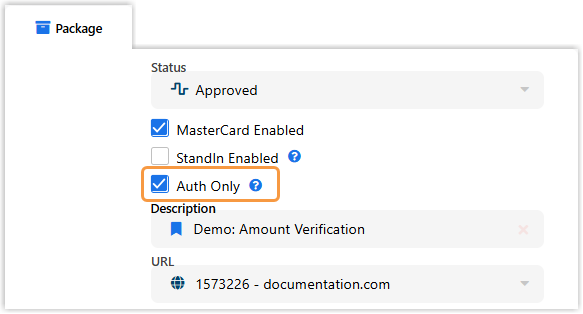
On the Package tab, make sure Auth Only is checked if you are using Amount Verification.
-
Click the Pricing tab

-
Select the Amount Verification price point you created.

-
Click Save to enable the price point for that package.
-
Click Get my button code to access the join link.
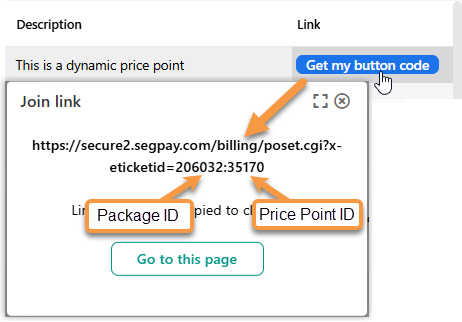
This join link will be modified with additional parameters in the next steps.
Step 3: Request Dynamic Pricing ID
For each customer verification, make an API request to obtain a unique pricing GUID.
Use the API Endpoint:
Add Required Parameters:
| Parameter | Description | Example |
|---|---|---|
merchantID
|
Your Segpay Merchant ID | 21798 |
amount
|
Verification Amount to charge (within you specified price range) | 1.00 |
Make the Request:
Complete Request Example
https://srs.segpay.com/MerchantServices/DynamicPricing/?merchantId=21798&amount=1.00
Authenticate Your Request:
-
Authentication Method: HTTP Basic Authentication
-
Required Credentials:
-
User ID: Your Merchant Services/SRS User ID
-
Access Key: Your Merchant Services/SRS Access Key
-
-
Authentication Header:
Authorization: Basic {base64-encoded UserID:AccessKey}
To obtain credentials, contact techsupport@segpay.com. Store credentials securely.
Receive the Response:
The API returns a pricing GUID (Global Unique Identifier):
Step 4: Construct Join Link with Parameters
Append required parameters to your join link.
| Parameter | Description | Format | Example |
|---|---|---|---|
eticketid
|
Package (XXXXXX) and Price Point (YYYYY) IDs | XXXXXX:YYYYY | 206032:35170 |
dynamicpricingid
|
Pricing GUID from API response | GUID format | 8fab361c-9640-456e-9443-a53dc0ab222e
|
dynamicdesc
|
Transaction Description (URL-encoded) | URL-encoded string | Verification+Payment+for+movie |
Complete Join Link Example
https://secure2.segpay.com/billing/poset.cgi?x-eticketid=xxxxxx:xxxxx&dynamicpricingid=8fab361c-9640-456e-9443-a53dc0ab222e&dynamicdesc=Verification+Payment+for+movie
Additional Optional Parameters:
You can append any standard Segpay system or custom variables. See Processing API documentation for complete list.
Step 5: Direct Customer to Payment Page
Once Join Link is constructed, redirect customer to Segpay payment page via:
-
Server-Side Redirect: Best for secure implementations where join link construction happens on server.
-
Client-Side Redirect: Use when redirecting from client-side JavaScript.
-
HTML Link: Use for manual testing .
Segpay Payment Page Example:
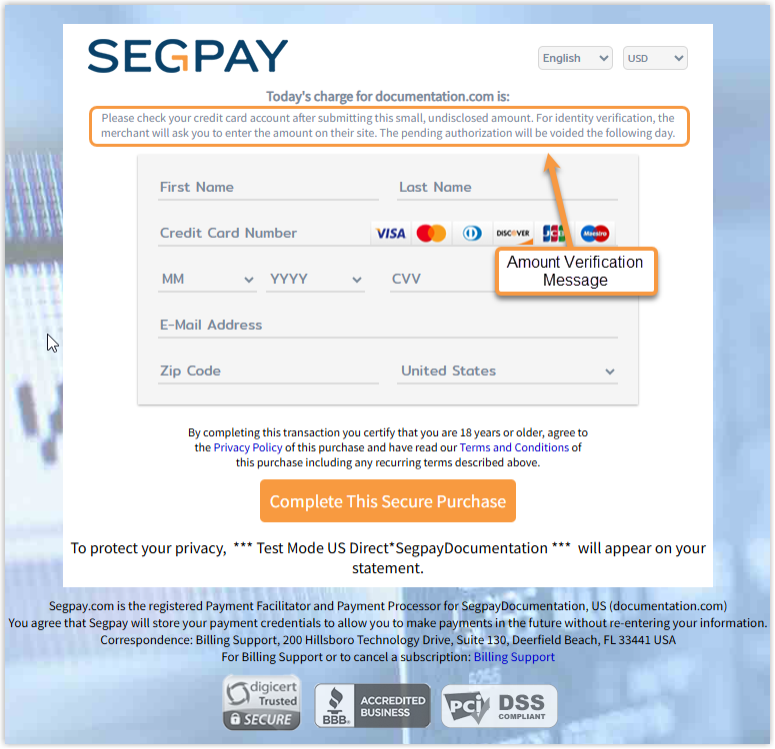
The consumer won't see the verification amount anywhere on the payment page—not even in the page source. They must retrieve the amount from their credit card account to verify themselves.
Customer Verification Process
What Happens Next
After directing customers to the Segpay payment page:
-
Customer Submits Payment Information
-
Authorization placed on customer's card
-
Amount is NOT displayed (hidden from customer)
-
Authorization appears in customer's account
-
-
Customer Checks Account
-
Sees random amount (e.g., $3.00, $1.85, 16.03 NOK)
-
Timing varies by bank (immediate to 24 hours)
-
-
Customer Returns to Your Site
-
You must create a verification page where customer enters amount
-
Your system validates entered amount against postback data
-
-
Authorization Voided
-
Occurs next day automatically
-
No actual charge to customer
-
Postbacks
When a customer completes authorization on the Segpay payment page, Segpay sends transaction data—including the verification amount—to your server via postback. All default postback configurations include the necessary variables for Amount Verification.
Using Custom Postbacks
If you're using a custom postback configuration (not the default), ensure you include two required variables to support Amount Verification with multicurrency:
| Parameter | Description | Example | Use Case |
|---|---|---|---|
authprice
|
Transaction amount in base currency | 1.85 | Customer verifies in USD |
authcurrency
|
Currency code used for transaction based on the consumer's selection | NOK | Customer verifies in local currency |
Including both parameters allows your system to validate against either value. For example, customers may enter a verification amount in either:
-
Base currency (e.g., $1.85 USD)
-
Converted currency (e.g., 16.03 NOK)
Amount Verification Postback Results
When an Amount Verification transaction occurs, Segpay sends your server a postback with transaction details. This postback contains the information your system needs to validate the customer's verification amount.
Key Fields to Use for Validation:
-
authprice: The base currency amount Segpay authorized (e.g., 1.00) -
authcurrency: The currency code used for the consumer's transaction (e.g., NOK, USD)
Example Postback Data
Segpay will send HTTP GET or POST data to your configured endpoint, such as:
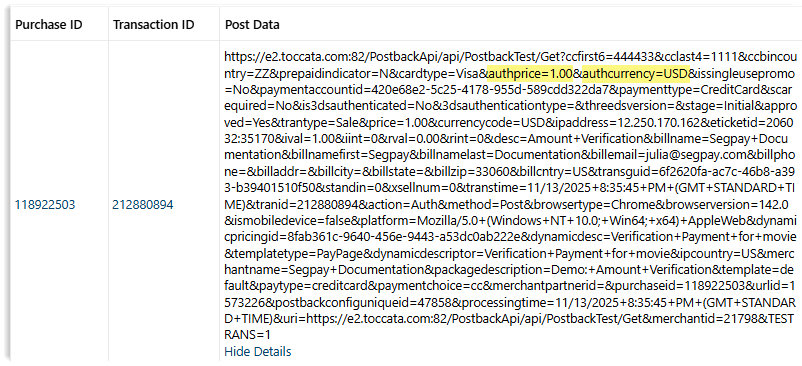
How to Use the Postback Data
-
Step 1: When you receive the postback, extract and store
authpriceandauthcurrencylinked to the transaction. -
Step 2: When the customer returns to verify, check if the entered amount matches either the stored
authprice(base currency) or its value in the storedauthcurrency. -
Step 3: Only grant access or allow the purchase to proceed if the amount matches.